 Stacey Yao
Designing a bidding product for first-time advertisers
A B2B ads product for healthcare providers on HelloKlarity.com, a patient booking marketplace
Overview
Selling ads to people who never wanted to buy one
HelloKlarity.com is a patient booking marketplace that earns a fee per appointment. Pro-Listings adds a paid layer: providers bid per booking for Featured placement in patient search.
The challenge: making a bidding product that providers who had never bought an ad would turn on.
The solution is one setup row that scales. A single bid covers most providers; bids per specialty serve those who treat several; a practice budget serves owners buying for a team.
Achievement
A new revenue line, built from zero.
I worked with the data team to track performance after launch. A year in, paid placements are a steady share of bookings and margin, and the opted-in cohort is still growing.
Solution overview
One setup row scales from a solo provider to a group practice
Setup has three levels: Single bid, Bids per specialty, and Practice budget. Each level adds control one layer down, so the first screen stays one row for everyone. Most providers never leave the first level.
 Solo provider
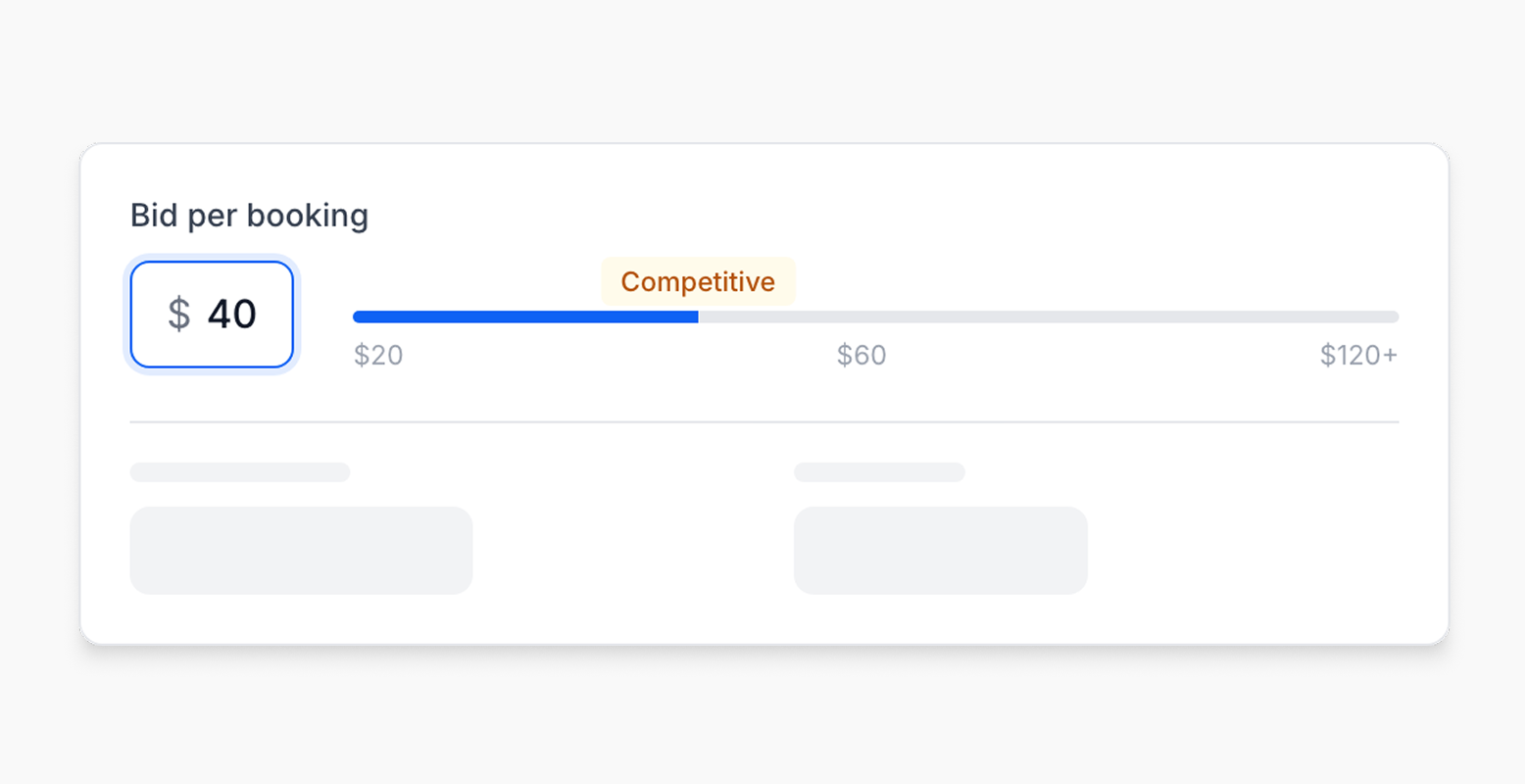
- Single bidControl: ⭐⭐Setup effort: ⭐
 Multi-specialty
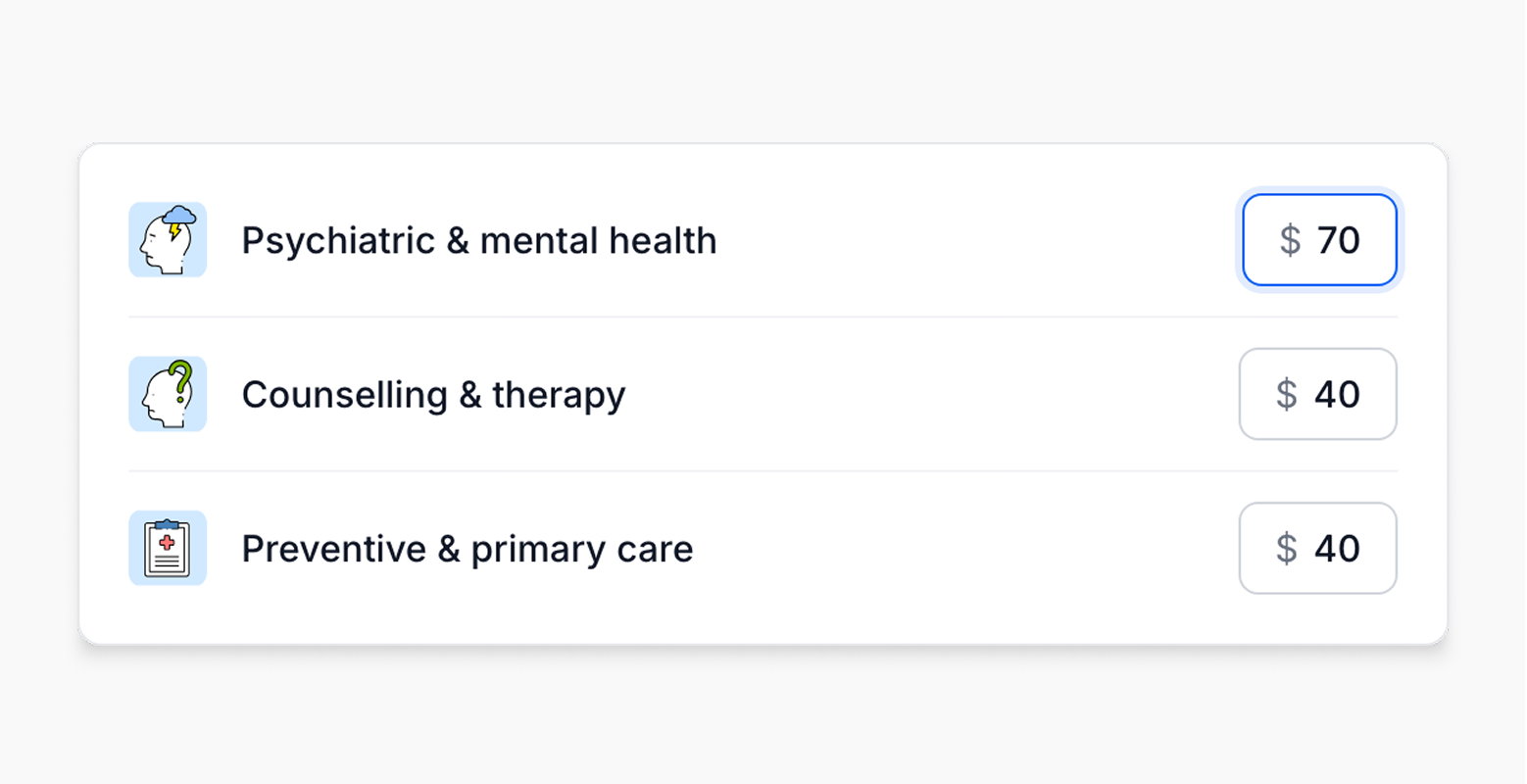
- Bids per specialtyControl: ⭐⭐⭐Setup effort: ⭐⭐
 Group practice owner
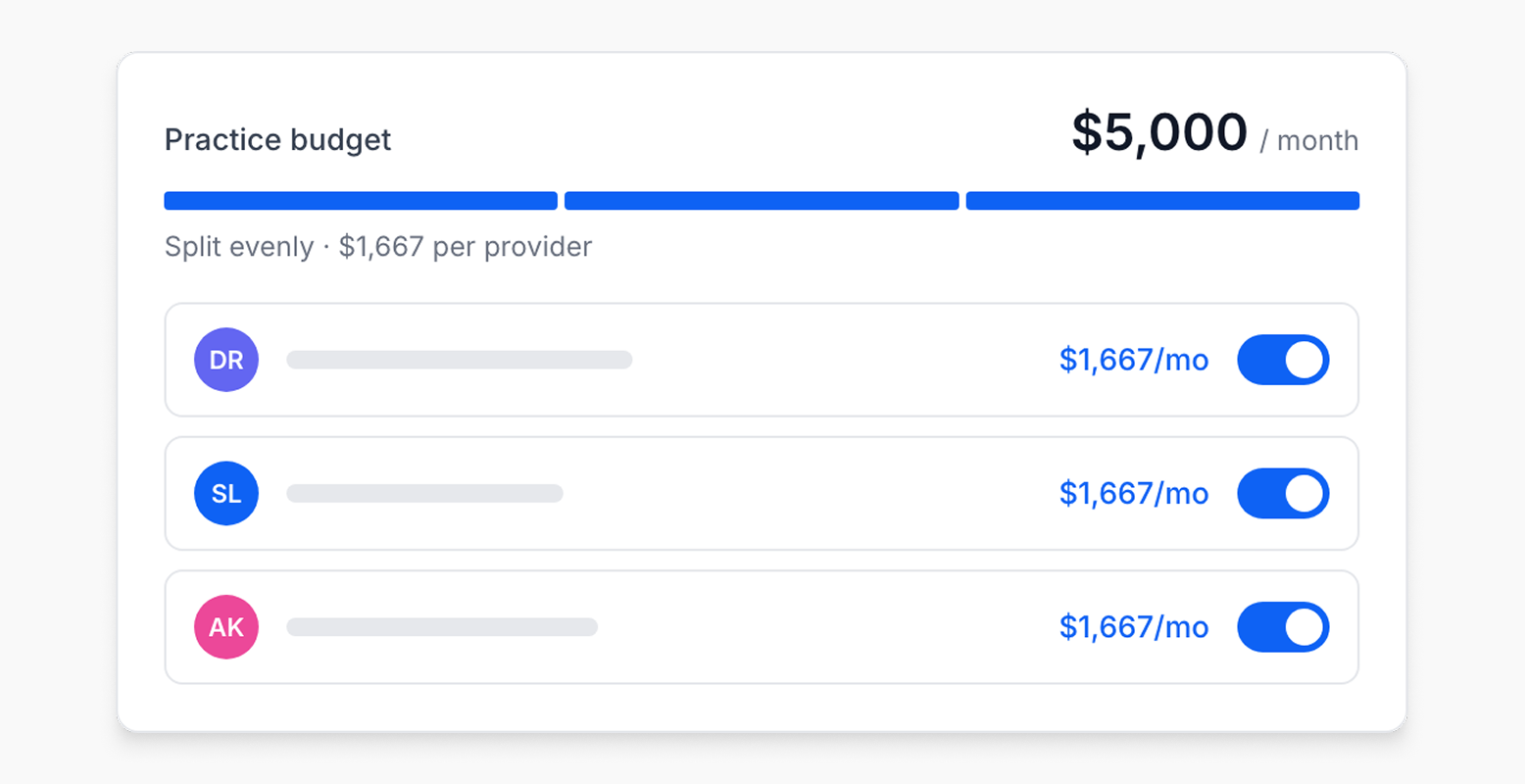
- Practice budgetControl: ⭐⭐⭐⭐Setup effort: ⭐⭐⭐
Design highlights
Final designs and solutions
Every provider starts on the same row. More control opens one level down.
Campaign setup
One row: bid, bid range indicator, budget type, budget amount. Defaults remove the blank slate, and the indicator shows where a bid sits in the market.
Bids per specialty
Behind an Advanced toggle, one row per specialty: bid, monthly cap, and a switch for whether that specialty bids at all.
Practice budget
One budget, split evenly across providers on Pro-Listings, each capped at their share. Overrides by specialty or provider sit one level down.
The rest of the loop
Context
What we sell to providers
Pro-Listings adds a paid layer. Providers set a bid per booking; higher bidders take dedicated Featured positions on the homepage and listing pages. They pay only when a real appointment is booked, not for views or clicks.
How placement worked before
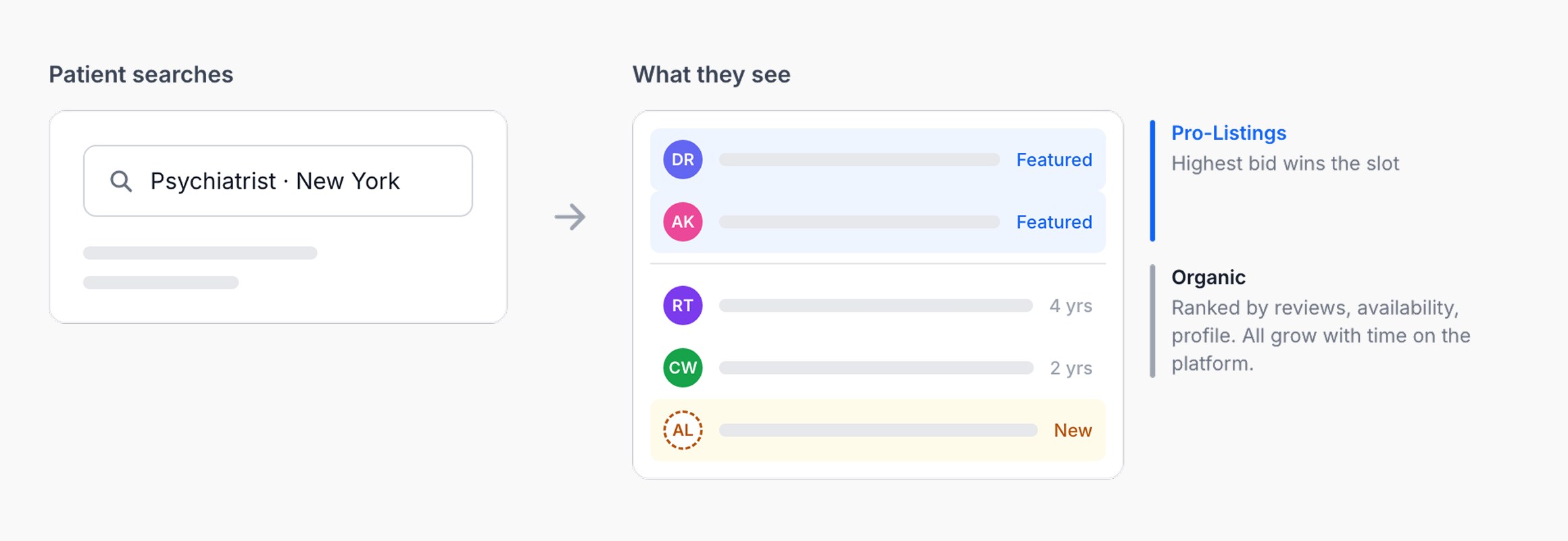
Every provider was ranked organically, on reviews, availability, and profile completeness. Those signals favored whoever had been on the platform longest. Pro-Listings adds two Featured slots above that list, and the organic ranking stays as it was.
Why the business needed this
Underutilized supply
Thousands of providers had open slots and few bookings. Discovery wasn't matching supply to demand.
One revenue model
Fees grew only with bookings. The platform had no way to capture the value of patient attention.
In 2026, group practices became a growth target, and the product had to work for an owner buying for a team.
Problem
Our advertisers had never bought an ad
Ads products assume a buyer who knows what a bid is, has a budget to allocate, and reads a dashboard. Ours were nurse practitioners and psychiatrists running small practices. None of them wanted to become marketers. A version of Google Ads would have shipped the feature and lost the audience. Three worries came up again and again in support tickets and onboarding calls:
And whether solo or buying for a practice of ten, every one of them lands on the same setup page.
Key decisions
01Show where a bid sits, not what it will earn
How might we help first-time advertisers choose a bid? Providers needed a starting point and a way to judge it. We explored two directions before the final.
Preset goals
Four tiers, each a fixed bid behind it with an estimated booking range. Providers pick a goal and never see a bid.
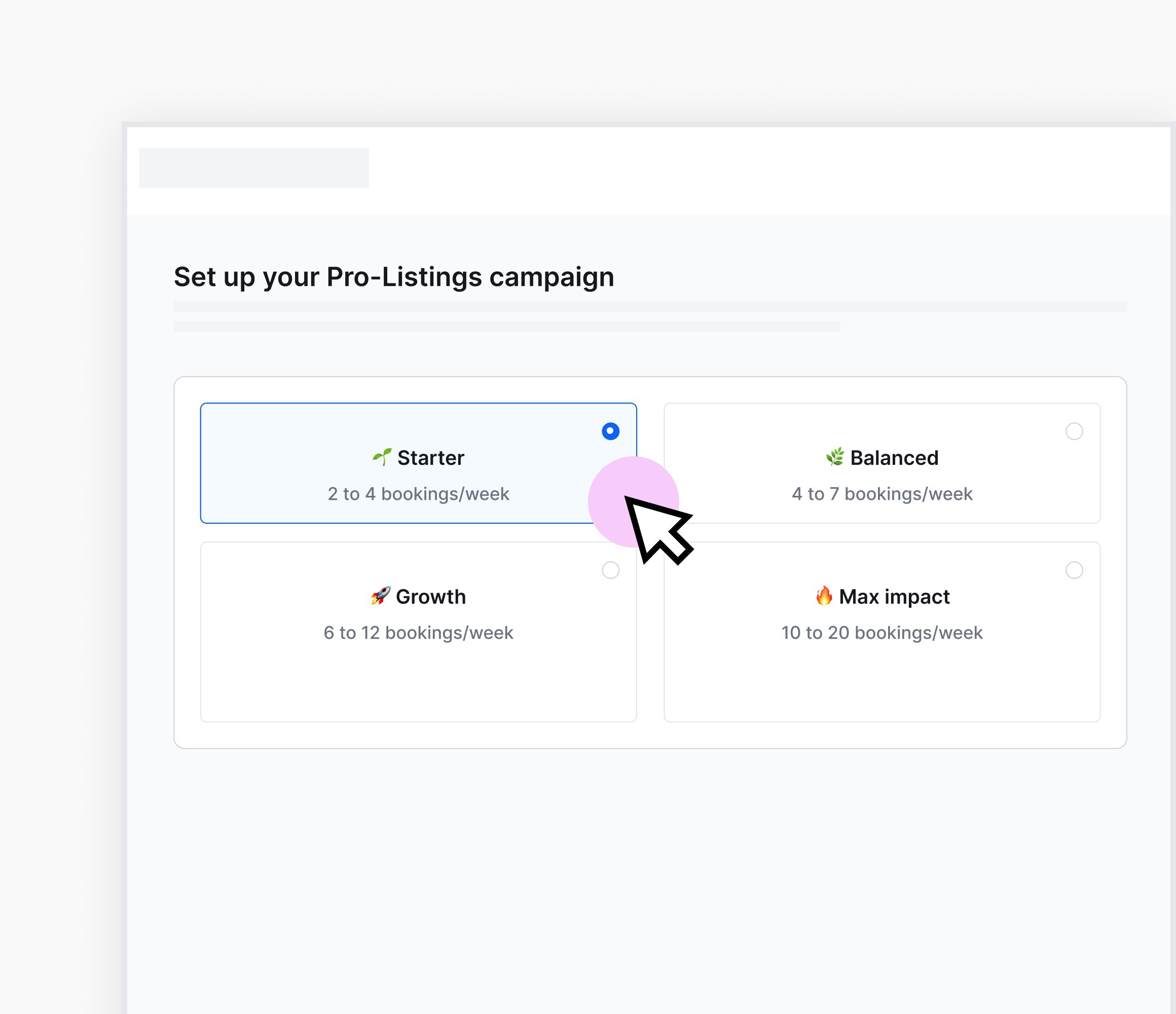
- Closest to how providers think: bookings, not bids
- A booking estimate on screen reads as a promise we couldn't keep week to week
Competitiveness tiers
Four preset bids, each labeled by how competitive it is. Picking one fills the bid field.
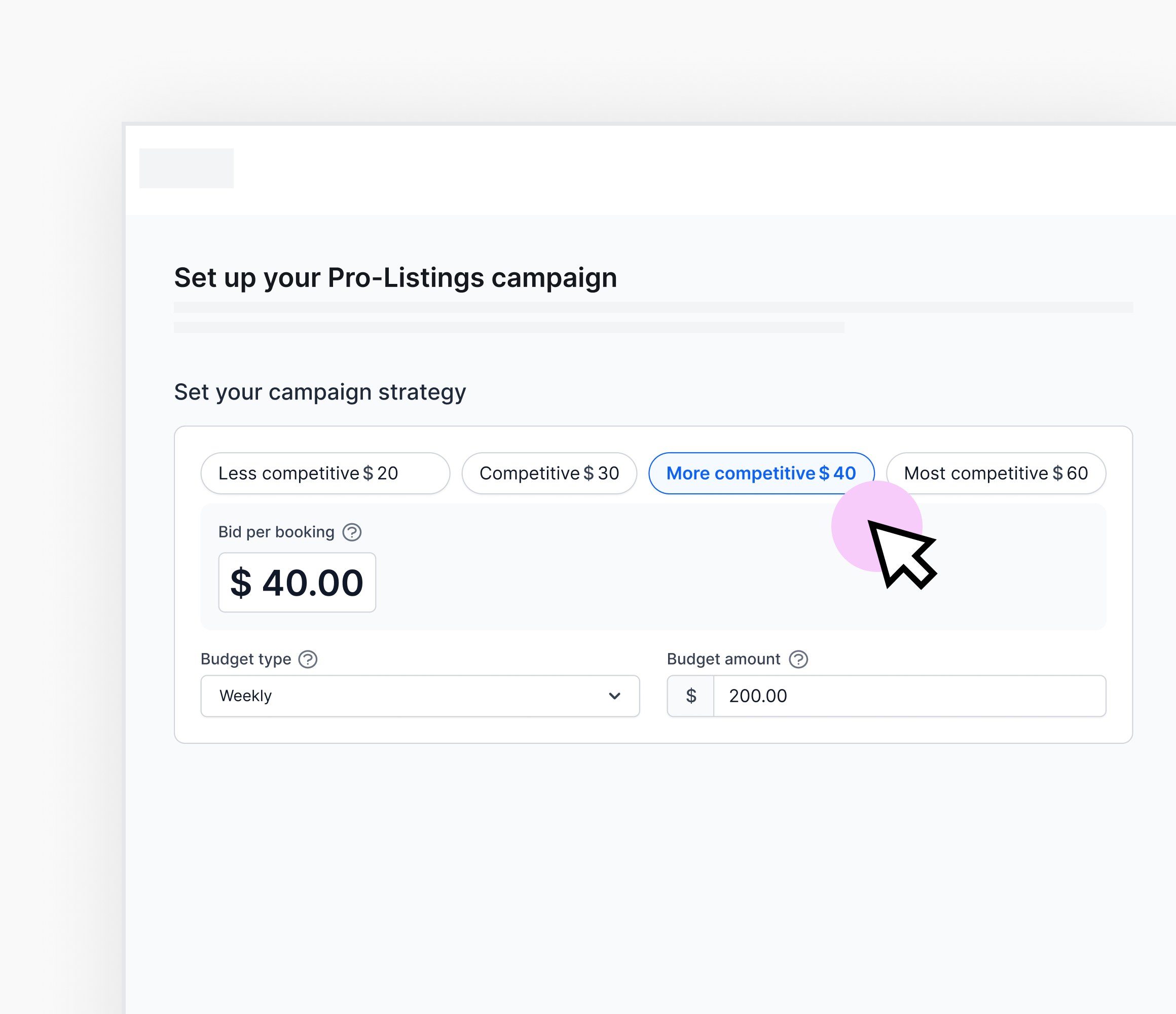
- The label answers “is my number OK” without a paragraph
- Only four numbers have a label. Type $35 and the answer disappears.
Bid range indicator
A pre-filled, editable bid beside a marker that moves as the amount changes, with the budget cap in the same row.
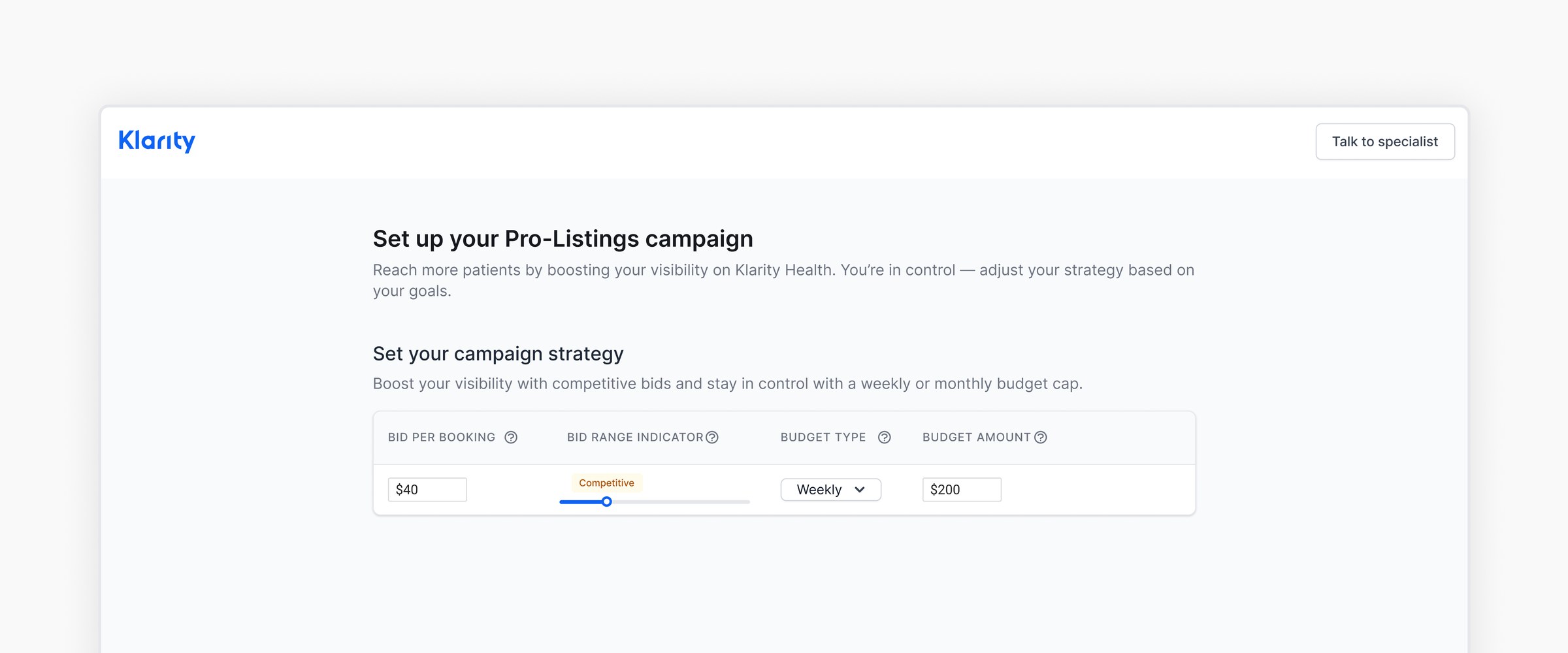
- A real number providers control, with its market position at a glance
- The ceiling is set in the same gesture as the bid
02Keep one row for everyone; put control one level down
How might we give control to providers who want it, without burdening the rest? Many providers treat more than one specialty, and the mix is rarely even. A psychiatric NP would pay more for mental health bookings than for anything else.
Cards per specialty
Bid only. Any bid above the general bid counted as an override.
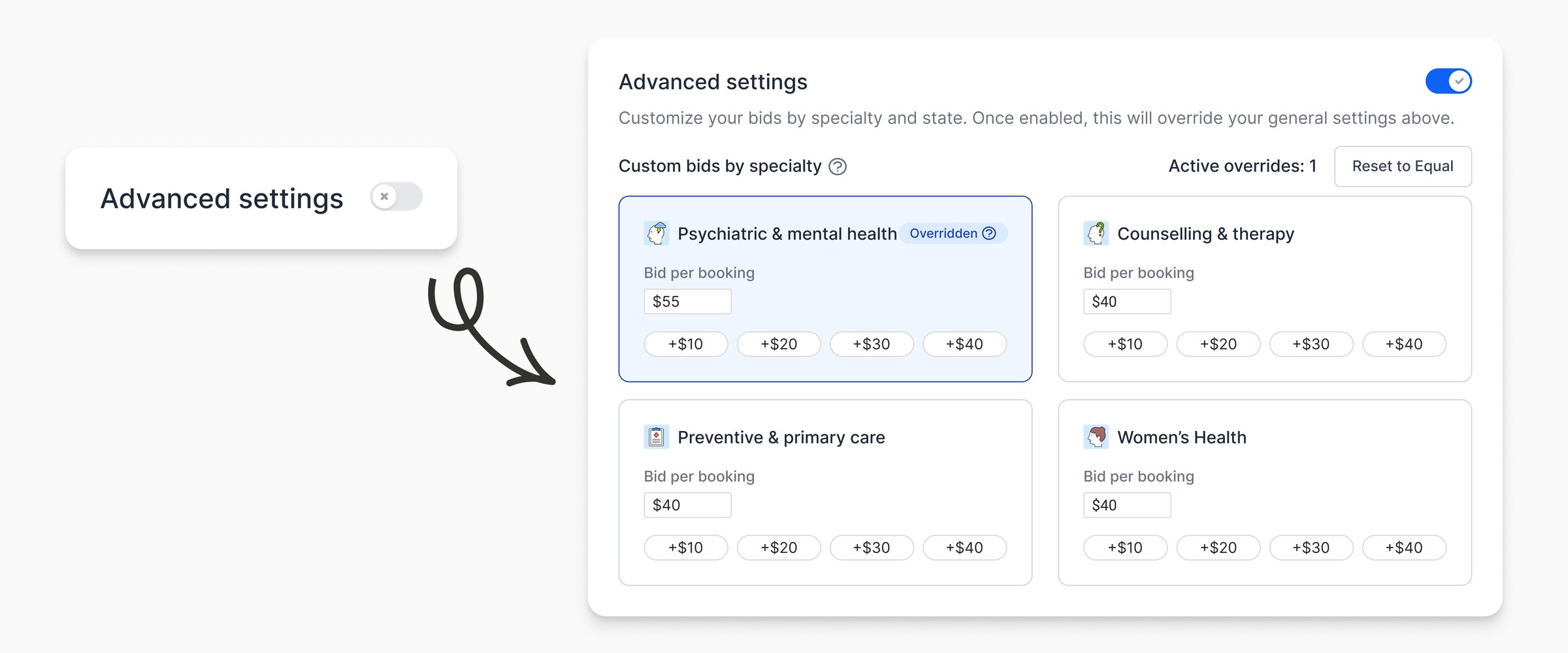
- Override was inferred from the number, and took a tag, a counter, and a reset button to explain
- No cap, and no way to leave a specialty out
A row per specialty
Bid, monthly cap, and a switch for whether that specialty bids at all. Off means bid $0. An override can only raise a bid, never lower it; the main row is the floor.
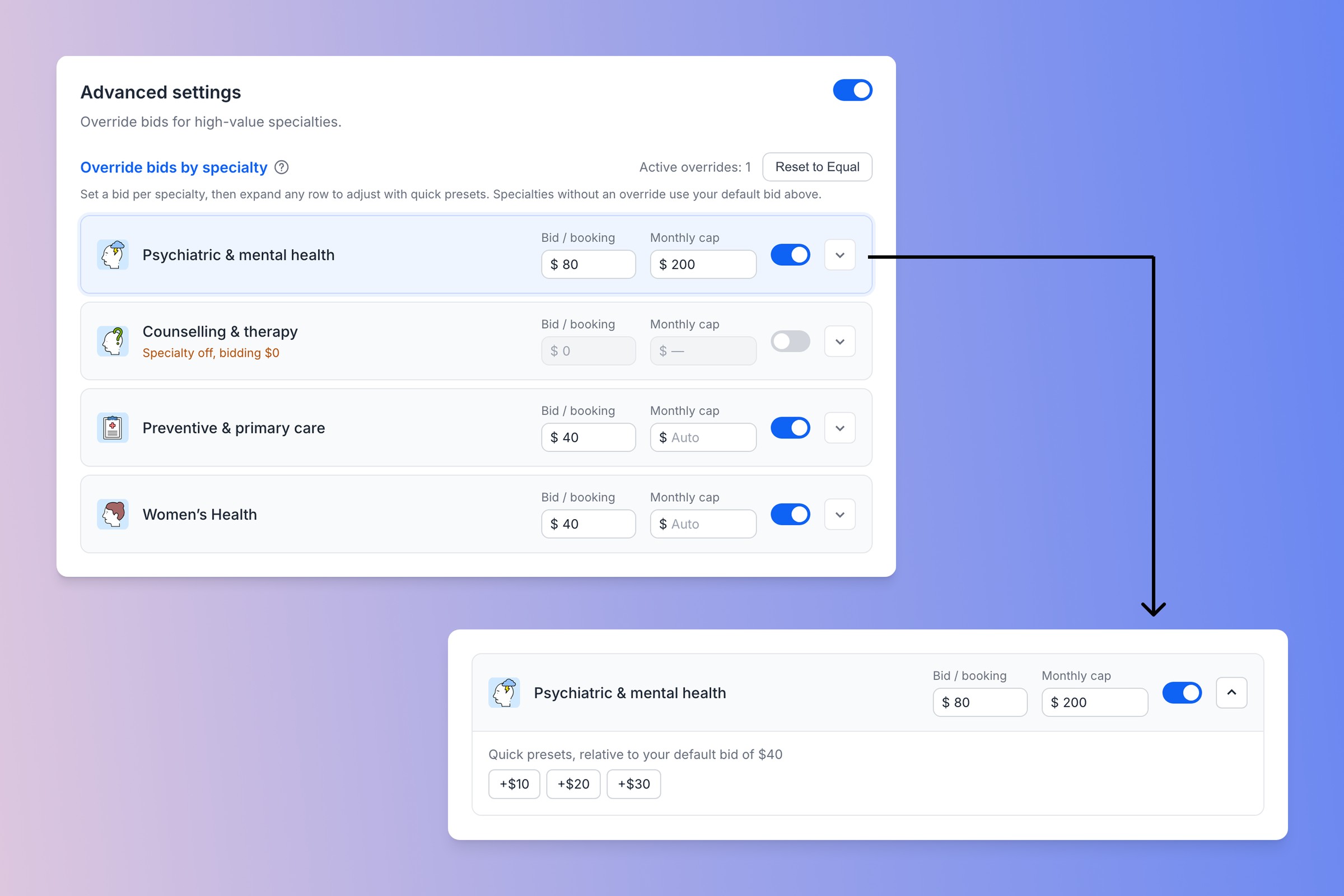
- The main row never changes; control sits behind one toggle
- Every override carries its own cap and its own off switch
03Split the budget evenly, and cap each provider
How might we let a group practice run one budget across many providers? In 2026 group practices started onboarding. The owner sets the budget, the bookings go to providers who never chose the bid, and an established provider earns more from a Featured slot than a new hire. This phase was built in code rather than Figma: the two options below and the final were all working prototypes.
Allocate per provider upfront
The owner sets a monthly budget for each provider before launch.
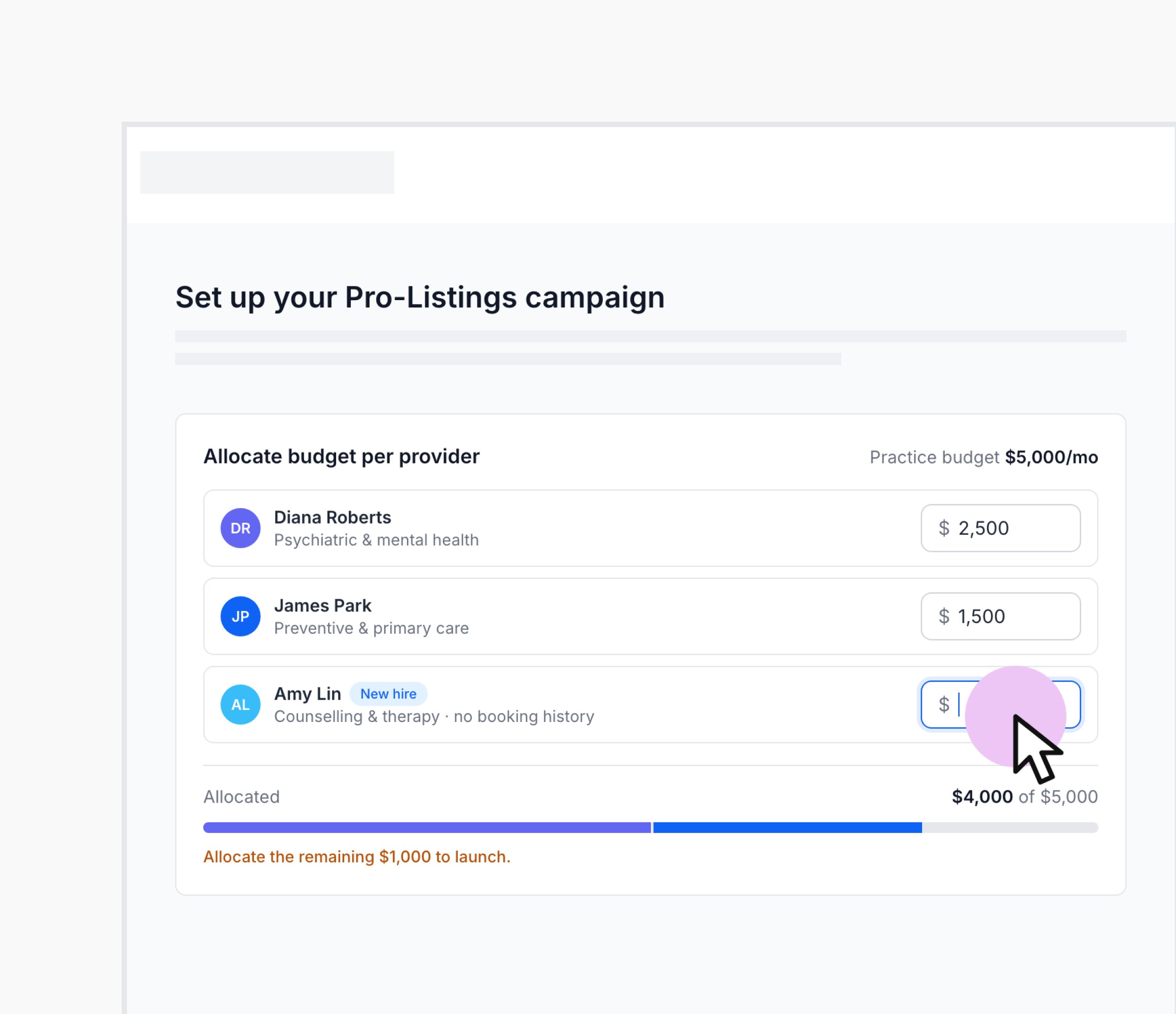
- Full control from day one
- Puts the hardest question first, before any data. A new hire with no history gets a guess, not a budget.
One pool, no caps
One practice budget, spent across all providers as bookings come in.
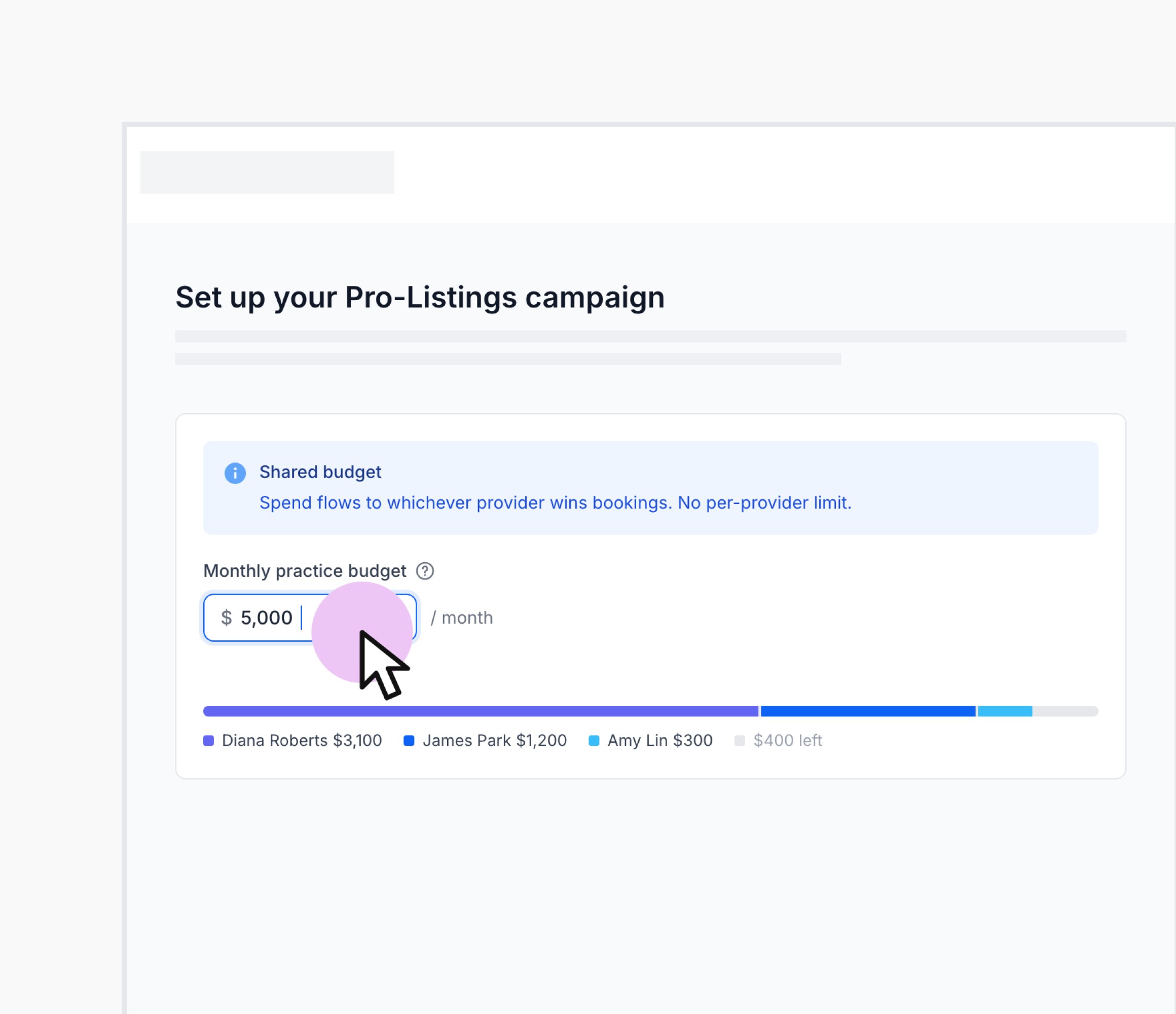
- Nothing to set up beyond one number
- The budget follows bookings, not the owner's intent. The provider who already wins keeps winning, and a new one can be starved.
Even split, capped
One practice budget, split evenly across providers on Pro-Listings, each capped at their share. When one hits the cap, the rest flows to the others. Who participates comes first, because that is what an owner changes most often; bids by specialty or provider sit one level below.
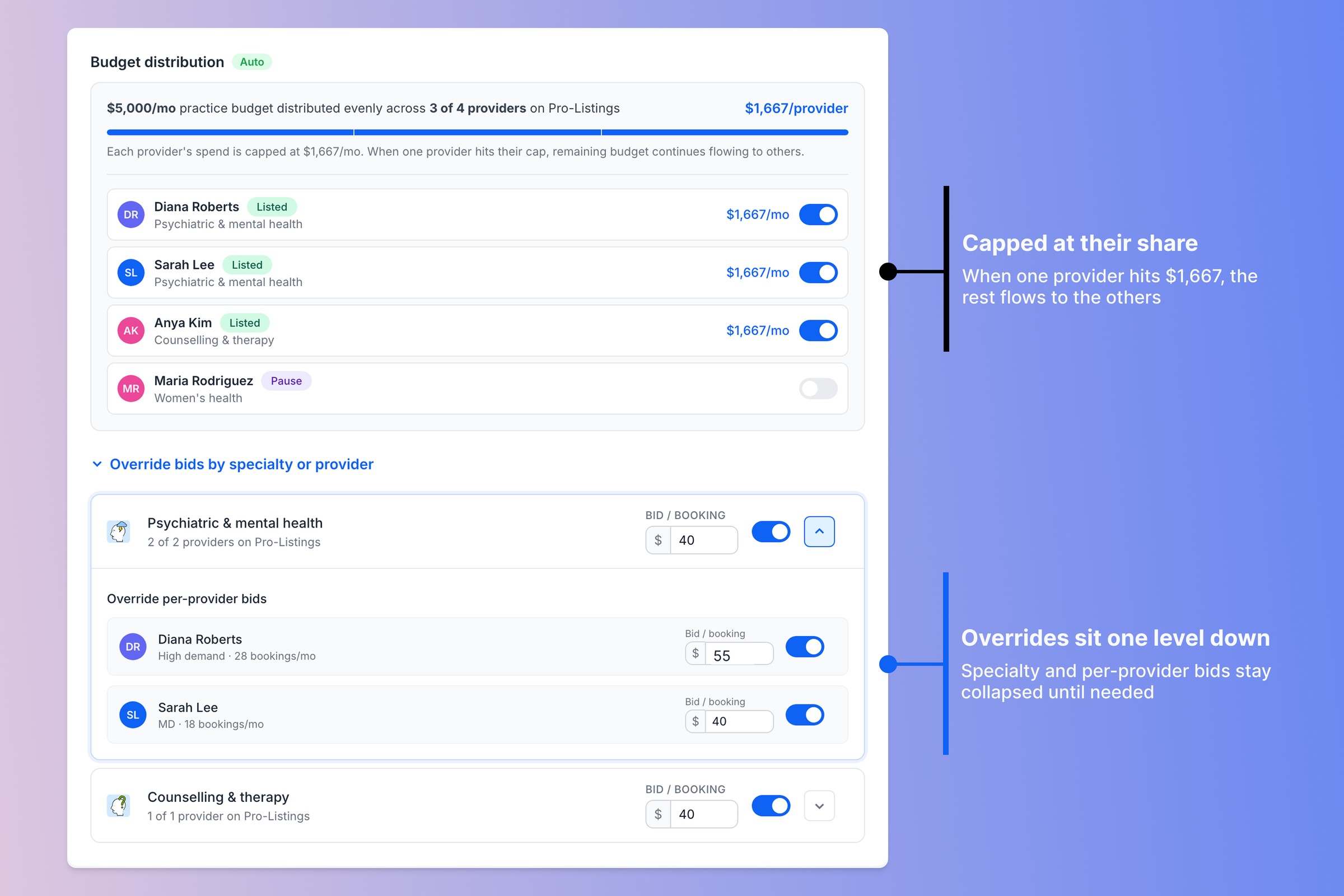
- Owner setup is the same row a solo provider sees
- No single provider can absorb the budget, and no cap strands money
Outcomes
A year after launch, one in five bookings comes through a paid placement.
What we changed after launch
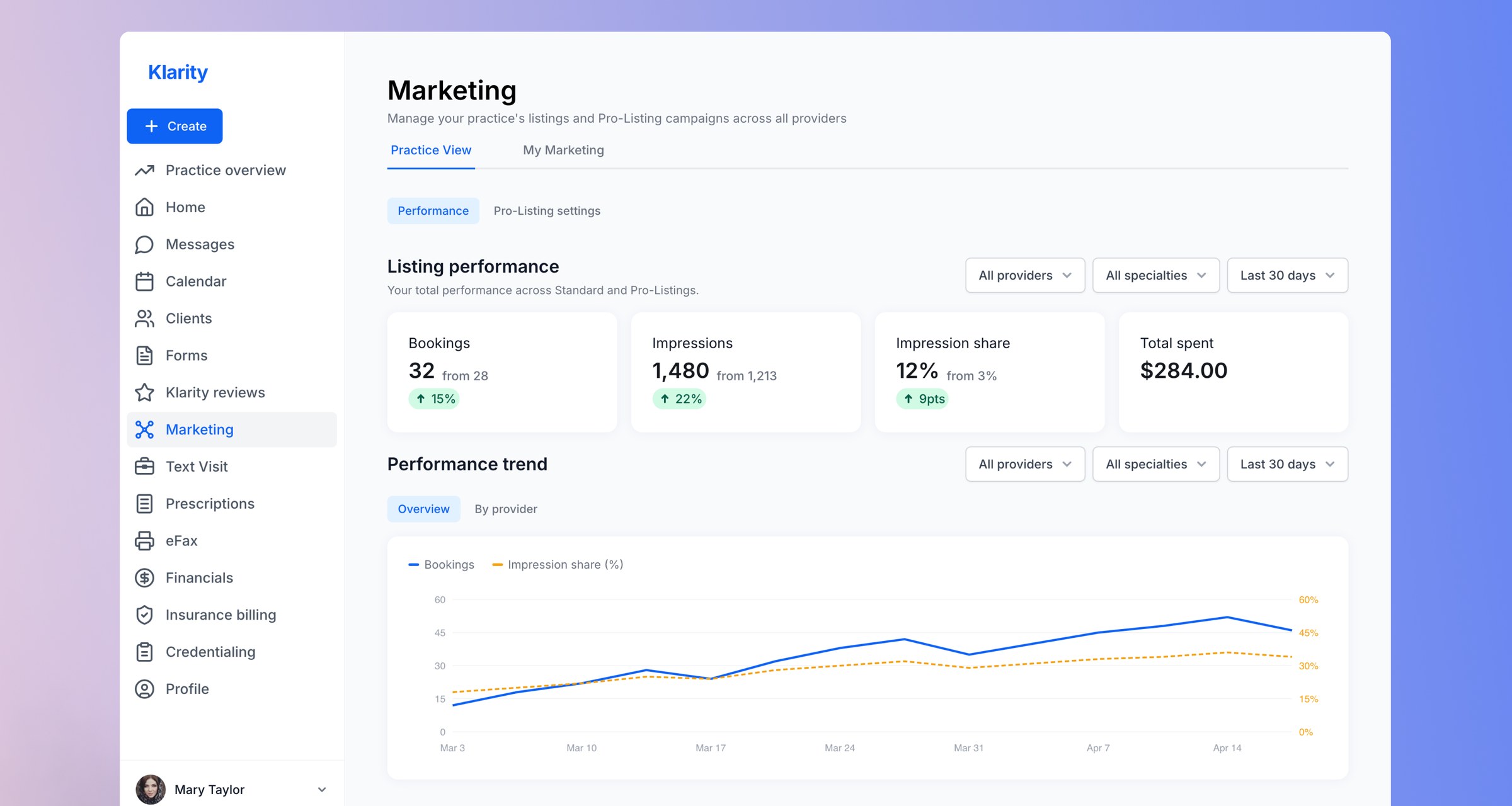
Two months in, the dashboard was only visible to providers who had already paid. In October 2025 we opened it to every provider, so a standard listing sees its own views and bookings next to what Featured providers get in the same search. The dashboard stopped being a report for paying providers and became the main entry point to Pro-Listings.
Looking at a year of data
I worked with the data team to track performance after launch.
Learnings
Lessons from building ads for people who don't want ads
In healthcare, an estimate reads as a promise.
We kept every number on screen as something the provider controls, never a prediction. That rule killed the preset-goals direction and shaped the bid indicator, which describes position, not outcome.
Where control lives depends on who the majority is.
One row by default held from solo providers to practice owners. The same split-with-a-cap model works for any owner buying on behalf of a team. The open question for next year is whether usage of the Advanced toggle says to move anything up a level.